
Imagine landing in a foreign city only to realize your medication bag was stolen or your pills were damaged in transit. For many of us, the instinct is to carry a physical photocopy of a prescription or a quick snap of a photo on a phone. While that feels like a safety net, it can actually be a security nightmare. Physical papers are easily lost or stolen, and a standard photo gallery isn't a vault-it's an open book for anyone who gets a hold of your device.
The real challenge is finding a balance between accessibility and privacy. You need your backup prescriptions to be available in an emergency, but you don't want your sensitive health data floating around in an unencrypted cloud or a loose piece of paper in a suitcase. The goal isn't just to have a copy; it's to have a secure copy that a pharmacist can actually verify.
| Method | Accessibility | Security Level | Verification Ease |
|---|---|---|---|
| Paper Photocopy | High | Low (Physical theft) | Medium |
| Standard Photo Gallery | High | Low (No encryption) | Low |
| Encrypted Vault App | Medium | High (AES-256) | Medium |
| Pharmacy Patient Portal | Medium | Very High (HIPAA) | High |
The Danger of the "Quick Photo" Approach
Most people just take a picture of their script and leave it in their camera roll. Here is the problem: most standard photo apps provide zero encryption for individual images. If your phone is stolen or your cloud account is breached, your medical history is wide open. According to a 2022 analysis in the Journal of Medical Internet Research, only about 3% of general medication apps actually provide encryption for stored prescription images. When you use a basic photo gallery, you're essentially carrying a digital postcard of your private health data.
Beyond privacy, there is the issue of authenticity. A photo of a prescription doesn't prove the medication is still valid or that the dosage hasn't changed. Pharmacists are often hesitant to act on a photo because it can be easily edited. To make a digital copy useful, it needs to be tied to a verifiable source.
Using Pharmacy Portals for Maximum Security
The safest way to carry a backup is to not "carry" it in the traditional sense at all. Instead, rely on Pharmacy Patient Portals is secure online systems provided by pharmacies that allow patients to view and manage their active prescriptions . Because these systems are built to follow strict data laws, like HIPAA the Health Insurance Portability and Accountability Act which sets the standard for protecting sensitive patient data in the US, they use high-level encryption that your phone's photo gallery simply doesn't have.
If you use a major chain, check their app. For instance, platforms like CVS Health and Walgreens have moved toward encrypted image storage and digital records. Instead of a screenshot, you log into the portal and show the pharmacist the official record. This removes the risk of theft and ensures the information is current.
Securely Managing Physical Backups
Sometimes, technology fails. Dead batteries, no Wi-Fi, or regional outages mean a physical copy is still a smart move. However, carrying a loose sheet of paper in your wallet is a mistake. If you must carry a paper backup, follow these steps to minimize risk:
- Use a locking travel organizer: Keep your prescriptions in a secure, lockable pouch rather than a loose folder.
- Separate the data: Don't keep your backup prescription in the same place as your passport or credit cards. If your wallet is stolen, you don't want the thief to have your identity and your medication list.
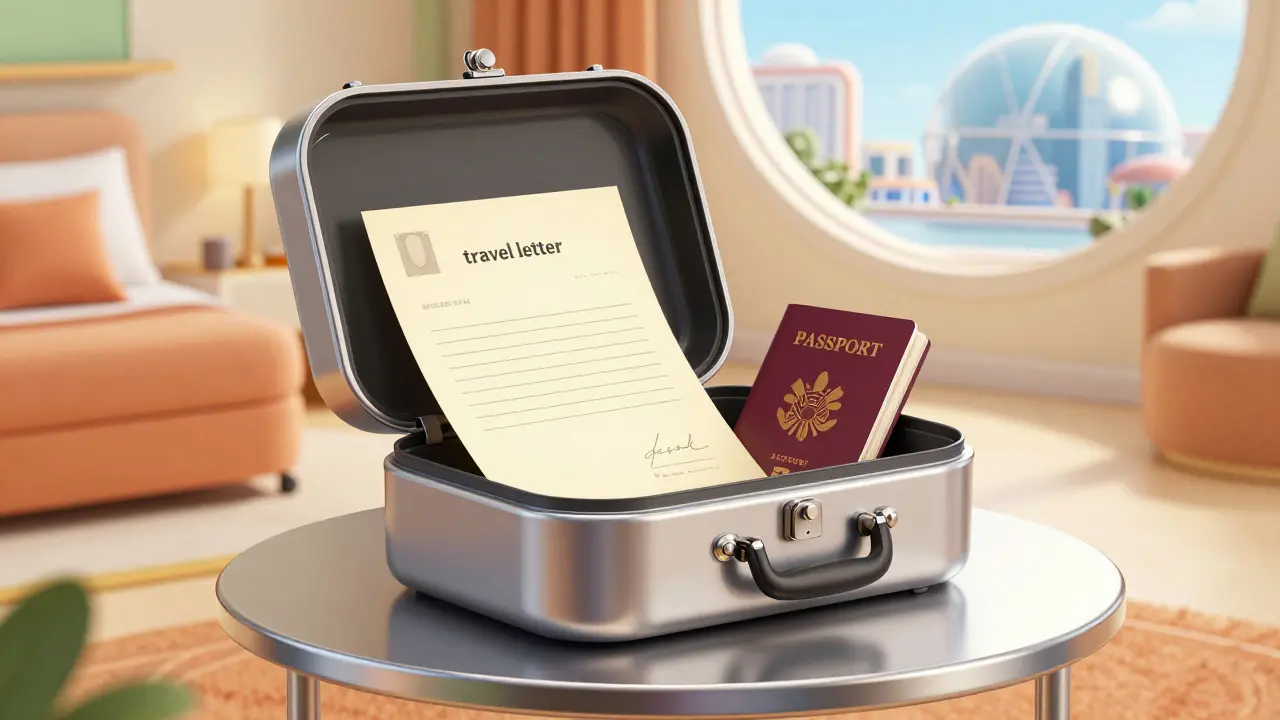
- Limit the information: Ask your doctor for a "travel letter"-a summary of your needs on official letterhead-rather than a photocopy of the original legal prescription script, which can be misused if it falls into the wrong hands.
Digital Vaults and Encrypted Storage
If you can't use a pharmacy portal and need a digital copy, avoid the standard gallery. Instead, look for Encrypted Vaults digital storage areas that use advanced encryption algorithms to prevent unauthorized access to files . Many smartphones now have a "Secure Folder" or "Hidden Album" that requires a separate biometric scan (fingerprint or face ID) to open.
For those who want extra security, use a password manager that allows for secure document attachments. These tools often use AES-256 encryption, which is the same standard used by banks. When you store your prescription here, it's encrypted at the file level, meaning even if someone hacks into your cloud, they can't read the document without your master key.
Avoiding Common Travel Medication Pitfalls
Security isn't just about encryption; it's about accuracy. A common mistake is carrying a backup copy that is six months out of date. A 2021 study by the Agency for Healthcare Research and Quality found that a huge number of patients experienced medication discrepancies during care transitions because they were relying on outdated records. Always update your digital and physical copies every time your dose changes.
Another risk is the type of medication. If you are carrying backups for controlled substances, such as certain painkillers, the security requirements are much higher. These medications are high-value targets for theft. Never store these prescriptions in a way that makes them easily discoverable. Use a discrete, locked container for the pills and an encrypted digital vault for the documentation.
| Step | Action | Goal |
|---|---|---|
| 1 | Verify portal access | Ensure login works offline/internationally |
| 2 | Move photos to vault | Remove medical data from public galleries |
| 3 | Request travel letter | Get a verifiable summary from the doctor |
| 4 | Separate storage | Avoid "all-in-one" theft risks |
Is it legal to carry a photocopy of a prescription?
Yes, it is legal to carry a copy for your own records. However, a photocopy is not a legal prescription. A pharmacist cannot dispense medication based on a photocopy; they use it as a reference to contact your doctor or pharmacy for verification.
Which is safer: a PDF or a photo?
A PDF stored in an encrypted vault is significantly safer. Photos are typically stored in unencrypted galleries, whereas PDFs can be password-protected and stored in secure folders with biometric locks.
What should I do if my digital backup is hacked?
Immediately change the passwords to your email and health portals. Notify your healthcare provider and pharmacy so they can monitor for unauthorized refill attempts. If the backup contained your Social Security number or insurance ID, consider a credit freeze.
Can I use a medication reminder app as a backup?
Most medication apps like Medisafe are designed for adherence (reminders), not secure storage. Unless the app explicitly states it uses end-to-end encryption for document storage, it should not be your primary backup method.
How do I handle backup prescriptions for controlled substances?
For controlled substances, avoid physical copies whenever possible. Use a pharmacy portal and keep a travel letter from your doctor. Store the actual medication in a locked, discreet container and never leave it in a hotel safe, which can be opened by staff.
Next Steps for Your Trip
If you're leaving soon, start by auditing your current backup method. If your prescriptions are sitting in your iPhone's "Recents" folder, move them today. Log into your pharmacy's app and make sure you can access your medication list without needing a password reset-because doing that in a foreign airport with bad Wi-Fi is a nightmare.
For those with complex needs, set up a synchronized renewal system with your pharmacy. This ensures that your backups are always current and that you aren't traveling with a script that expires the day after you land. A little bit of digital housekeeping now prevents a massive headache later.